


What is a payment link, in simple terms?
A payment link, or pay by link, connects a customer to a secure payment page for a set amount. Usually, the same request also comes as a QR code, so customers can scan it instead of tapping.
Because you don’t need a website, links suit small businesses, sole traders and anyone who sells through social media. In fact, many merchants use them as their main way to take payments.
How does a payment link work?
- First, you create a payment link or QR code for the amount due.
- You send it to the customer by text, email or chat.
- Then the customer opens it and sees the payment page.
- They confirm the payment with their digital wallet or card.
- Finally, you get a notification as soon as the money arrives.
Why payment links help remote businesses
More and more sales now happen away from a shop counter. For example, tutors teach online, makers sell on social media and consultants work with clients overseas. Yet a card machine can’t take a payment over the internet.
That’s where links come in. For instance, you can send one from your phone at any time, and the customer pays when it suits them. As a result, money reaches you faster, with less chasing.
Can you send a payment link abroad?
Yes. You can share a link through WhatsApp, WeChat or email, wherever your customer is. GlobePay specialises in payments between China and the UK. So if your customers are Chinese students, professionals or families, a link lets them pay with WeChat Pay or Alipay+ in their own currency.
Also, links and QR codes are an everyday part of life in China, so Chinese customers trust them. Here’s more on how QR code payments work.
How to start sending payment links with GlobePay
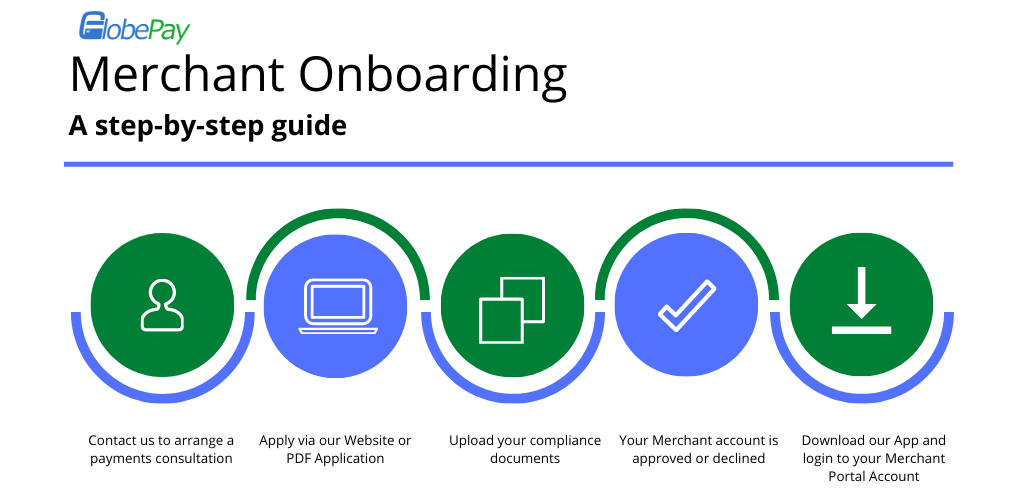
- Make an application.
- Send us your compliance documents.
- Get your onboarding confirmation.
- Download the app and log in to the Merchant Portal.
- Start sending links and receiving payments.
Once you’re live, GlobePay settles your payments in GBP to your UK bank account within T+3 working days. For a step-by-step guide, see how to get paid faster with pay by link.
Ready to start using payment links?
Overall, payment links are one of the quickest ways to start taking online payments. Apply online today, or contact our team if you’d like to talk it through first.